Work / 01 / Flint
 Flint
Apps · macOS
Take back your Mac's space from the cloud
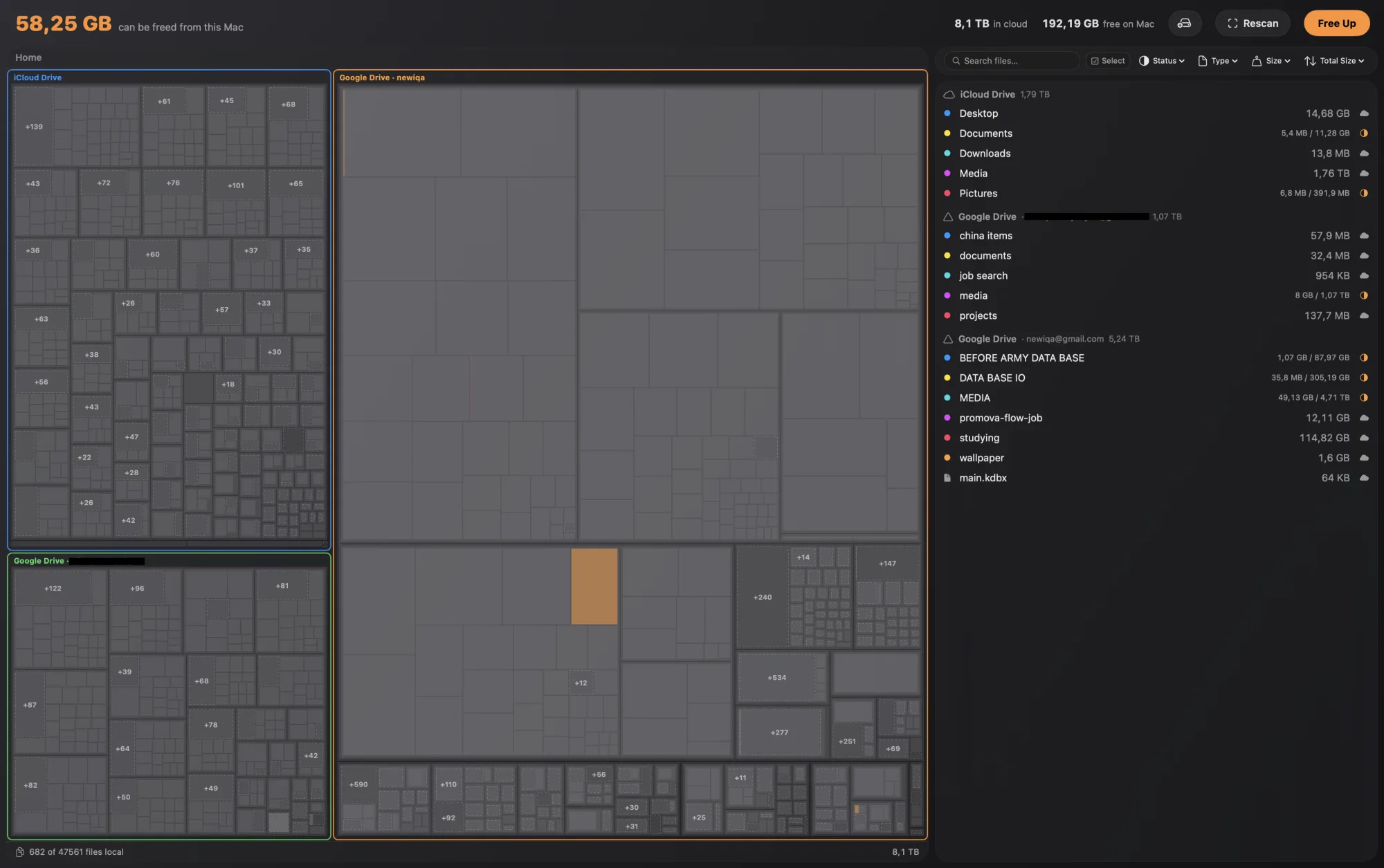
Flint shows how much space the local copies of your iCloud Drive, Google Drive, OneDrive and Dropbox files take up on your Mac — and lets you free it up without deleting anything. Your files stay safe in the cloud.
Swift · SwiftUI · iCloud Drive · Google Drive · OneDrive · Dropbox
A — Features
6 entriesScan
Maps every local copy of your cloud files and shows what's eating your Mac's disk.
Evict
Removes local copies in one click. Files stay safe in the cloud, untouched.
Sync state
See at a glance what's local, what's cloud-only, and what's syncing right now.
Treemap
An interactive treemap of your synced folders. Big tiles mean big space to reclaim.
Four providers
Works with iCloud Drive, Google Drive, OneDrive, and Dropbox in one view.
Localized
Interface translated into 10 languages.
iCloud DriveGoogle DriveOneDriveDropbox
B — Flint
Help shape Flint
Tell me which language to add next, report a bug, or ask anything — your message lands straight in my Telegram.